> ## Documentation Index
> Fetch the complete documentation index at: https://docs.telemetron.ai/llms.txt
> Use this file to discover all available pages before exploring further.
# Merging Cases
> Combine related cases into one to keep conversations organized and avoid duplicate work
Sometimes multiple cases are opened for the same issue — a customer emails and then calls, or two team members create cases for the same request. **Merging** lets you combine these into a single case so nothing falls through the cracks.
When you merge case A into case B, case A is closed and its conversation history is preserved as a reference on case B. Case B becomes the single source of truth going forward.
## When to merge
* A customer contacts you through multiple channels about the same issue
* Duplicate cases were created by different team members
* A follow-up case should be consolidated with the original
## Requirements
Both cases must meet **all** of the following conditions to be merged:
| Condition | Details |
| ---------------------- | -------------------------------------------------------------- |
| **Same organization** | Both cases must belong to the same organization |
| **Different cases** | You cannot merge a case into itself |
| **Not archived** | Neither case can be archived |
| **Not already merged** | Neither case can have been previously merged into another case |
| **Not a draft** | Neither case can be in draft status |
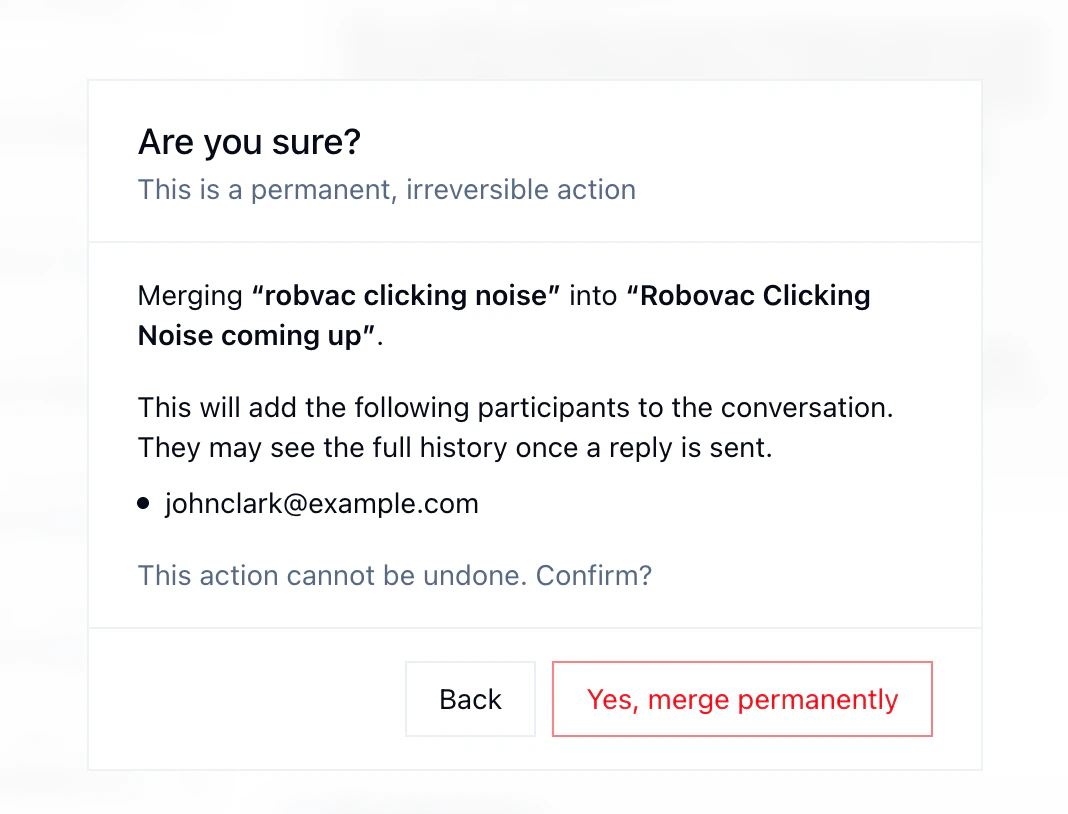
Merging is permanent and cannot be reversed. Make sure you're merging into the right case before proceeding.
## How to merge
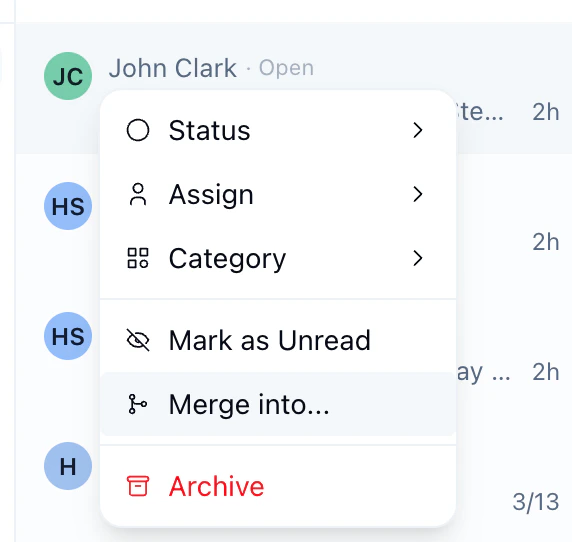
Right-click on the case to be merged in the cases list sidebar and select **Merge into...**.
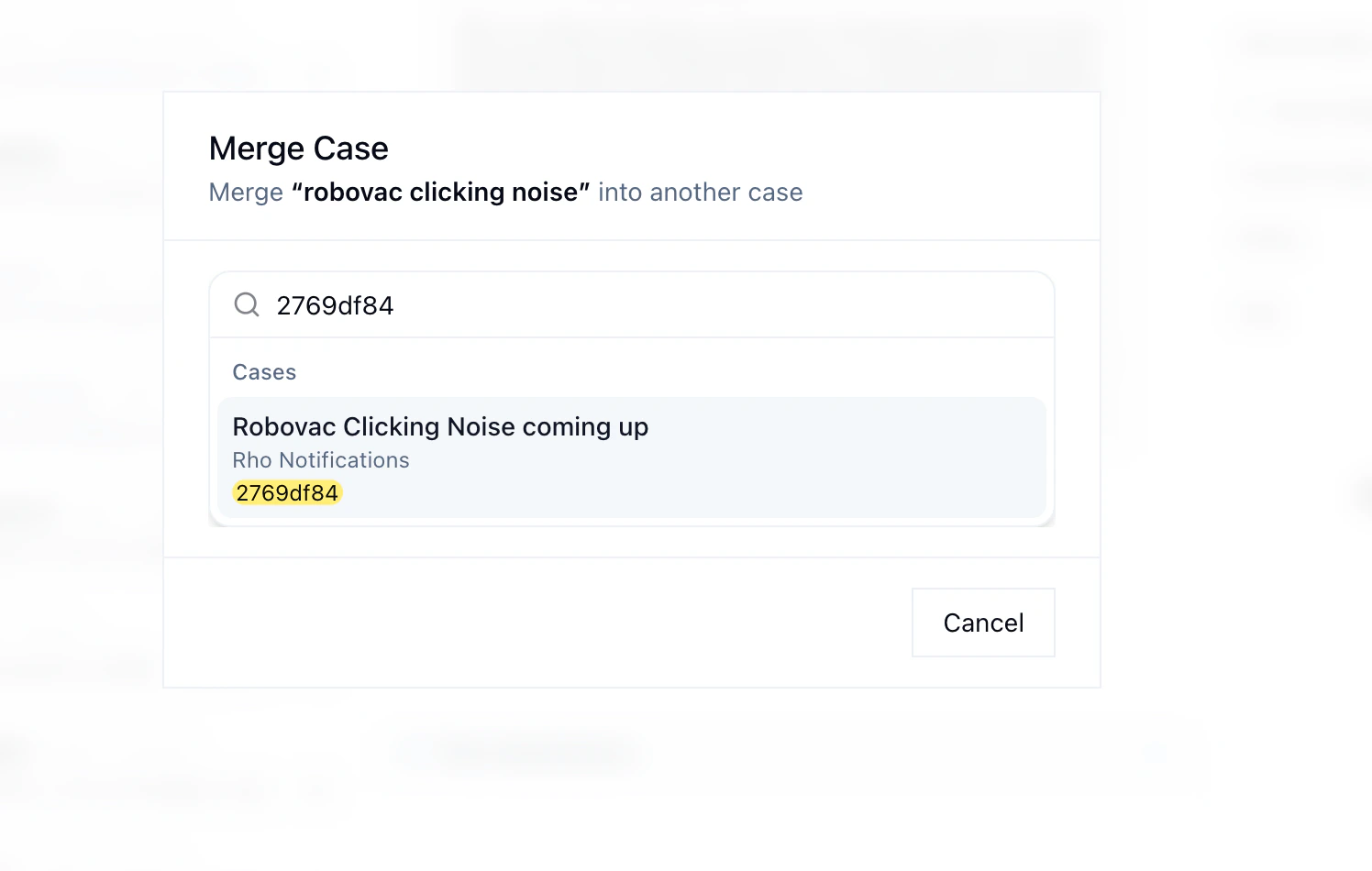
 Search for the case you'd like to merge the selected case into.
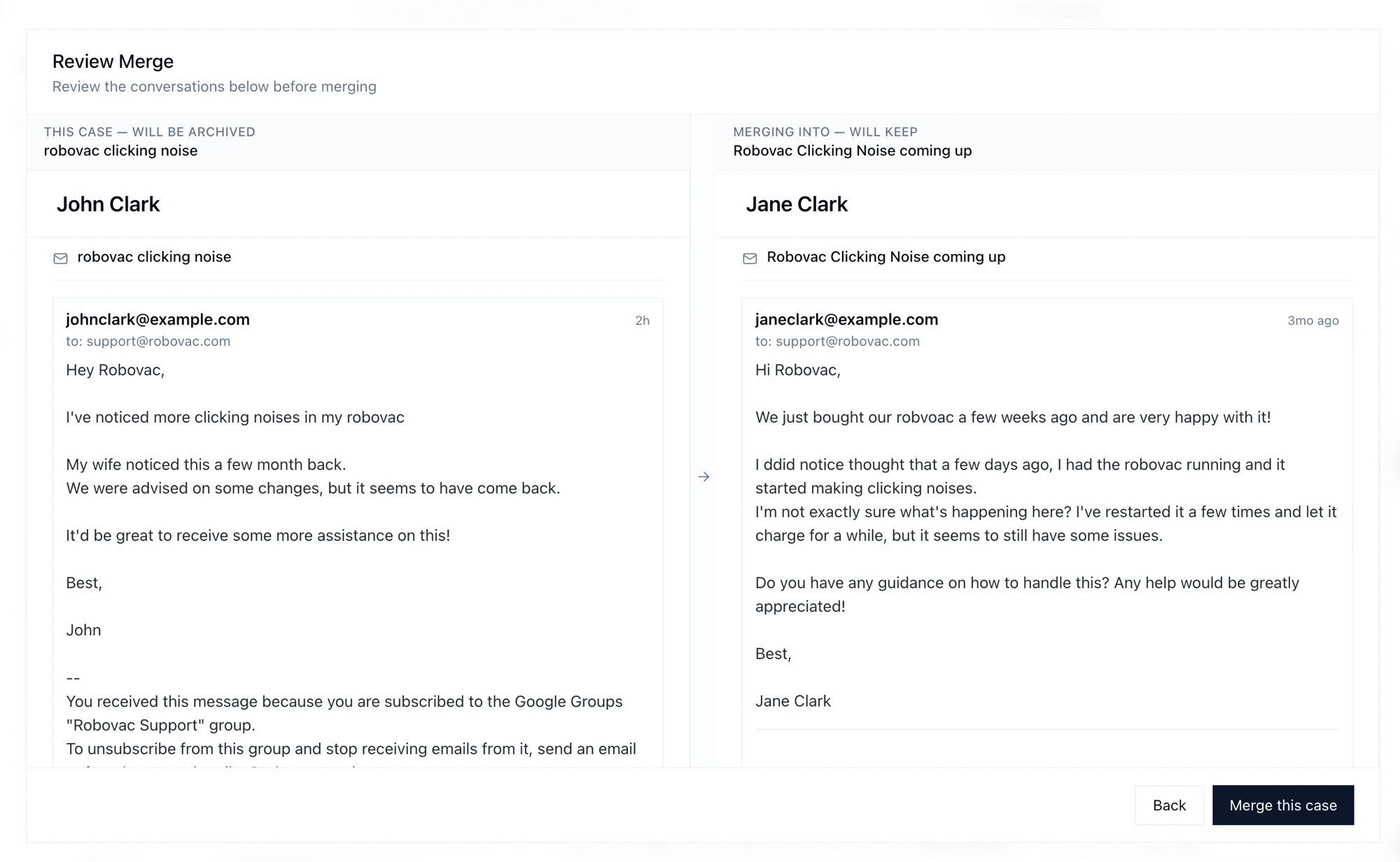
 Review both conversations side by side before confirming.
 Confirm that you want to permanently merge the cases.
 ## Channel compatibility
Not all channel combinations support merging. The rules depend on the channel each case originated from.
**The key rule: any case can always be merged into an email case.** Beyond that, compatibility depends on the channels involved — and most cross-channel merges require that both cases belong to the **same customer**.
| Source Channel | Can Merge Into |
| ------------------- | ------------------------------ |
| **Email** | Email, Chat\*, Voice\* |
| **Chat** | Email, Chat\* |
| **Voice** | Email, Voice\* |
| **FB Messenger** | Email, Voice\*, FB Messenger\* |
| **IG DM** | Email, Voice\*, IG DM\* |
| **X DM** | Email, Voice\*, X DM\* |
| **Social Comments** | Email, Voice\* |
\* Requires both cases to belong to the same customer.
## Channel compatibility
Not all channel combinations support merging. The rules depend on the channel each case originated from.
**The key rule: any case can always be merged into an email case.** Beyond that, compatibility depends on the channels involved — and most cross-channel merges require that both cases belong to the **same customer**.
| Source Channel | Can Merge Into |
| ------------------- | ------------------------------ |
| **Email** | Email, Chat\*, Voice\* |
| **Chat** | Email, Chat\* |
| **Voice** | Email, Voice\* |
| **FB Messenger** | Email, Voice\*, FB Messenger\* |
| **IG DM** | Email, Voice\*, IG DM\* |
| **X DM** | Email, Voice\*, X DM\* |
| **Social Comments** | Email, Voice\* |
\* Requires both cases to belong to the same customer.