

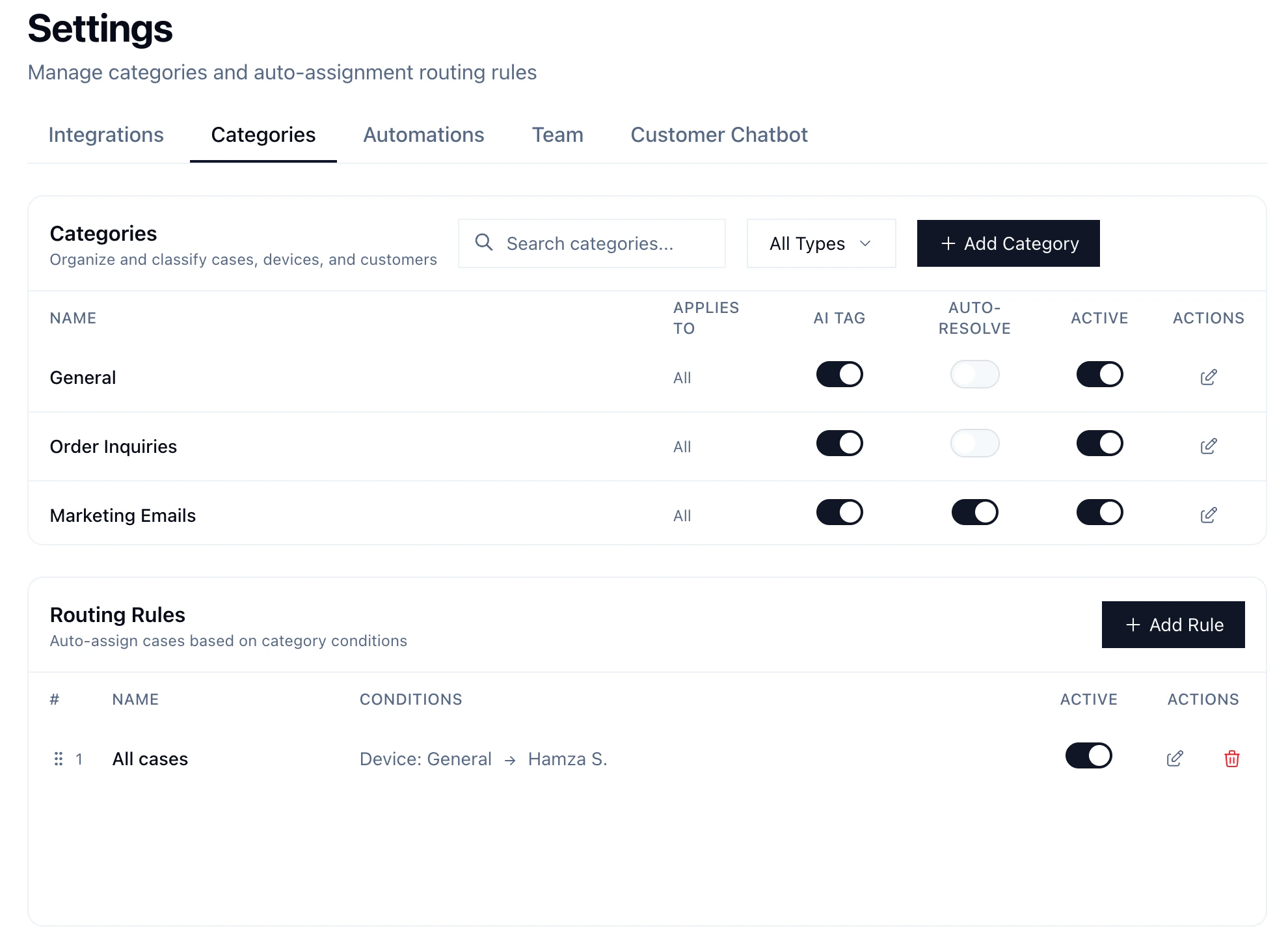
Categories
Labels for organizing cases, customers, and devices. Categories apply across all three entity types, and routing rules can combine them for smart assignment.Entity Types
Categories can be scoped to specific entity types or left unrestricted to apply to all three.
Settings
- AI enabled — AI auto-classifies incoming cases into this category
- Auto-resolve — cases in this category are immediately resolved and skip Slack notifications. Requires AI enabled.
- Active — whether the category is currently in use. Inactive categories won’t be assigned to new cases.
Routing Rules
Auto-assign cases to a team member based on category conditions. Each rule matches on up to three conditions (AND logic — all must match):
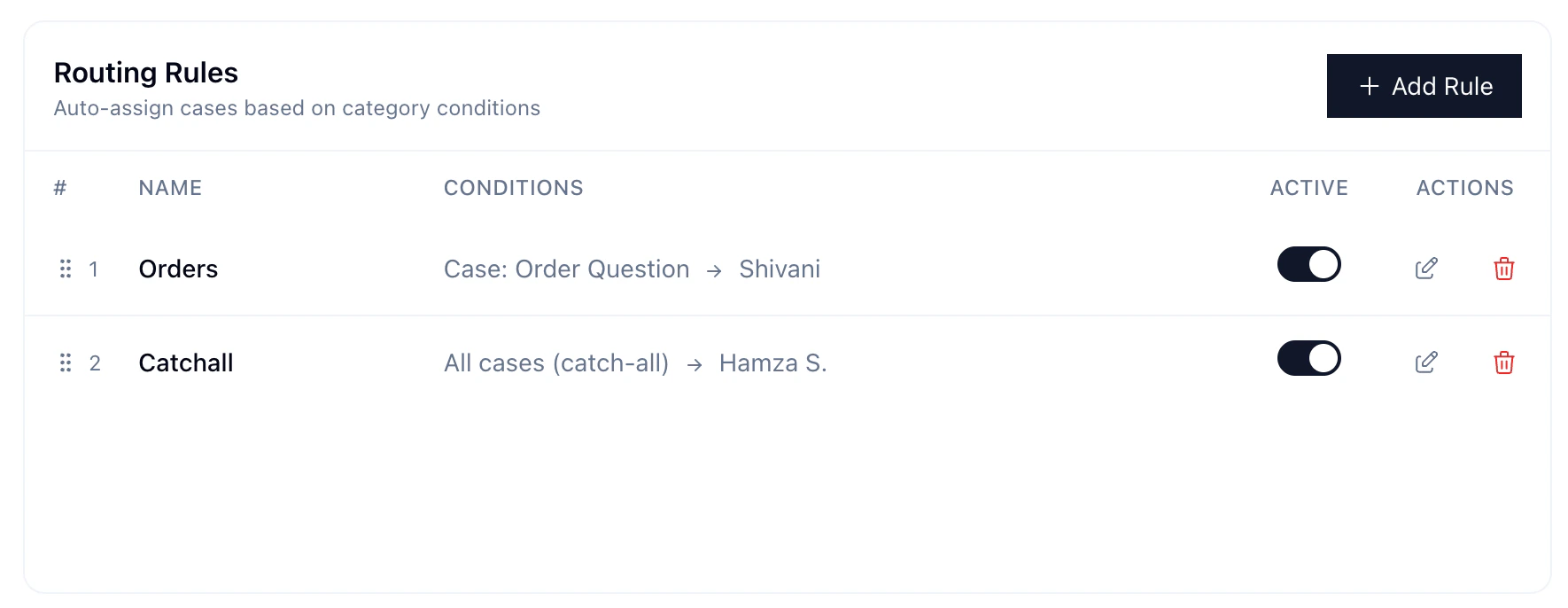
Rules evaluate top to bottom — first match wins. Drag to reorder. For example, all order-related inquiries go to Shivani, and the rest go to Hamza:
Flow
- AI categorizes the case
- Auto-resolve fires if the category has it enabled
- Routing rules evaluate in priority order
- First match assigns the case
Handling Spam / Irrelevant Messages
Create a category (e.g., “Marketing”), enable AI enabled and Auto-resolve. Matching cases are immediately closed and won’t notify your team.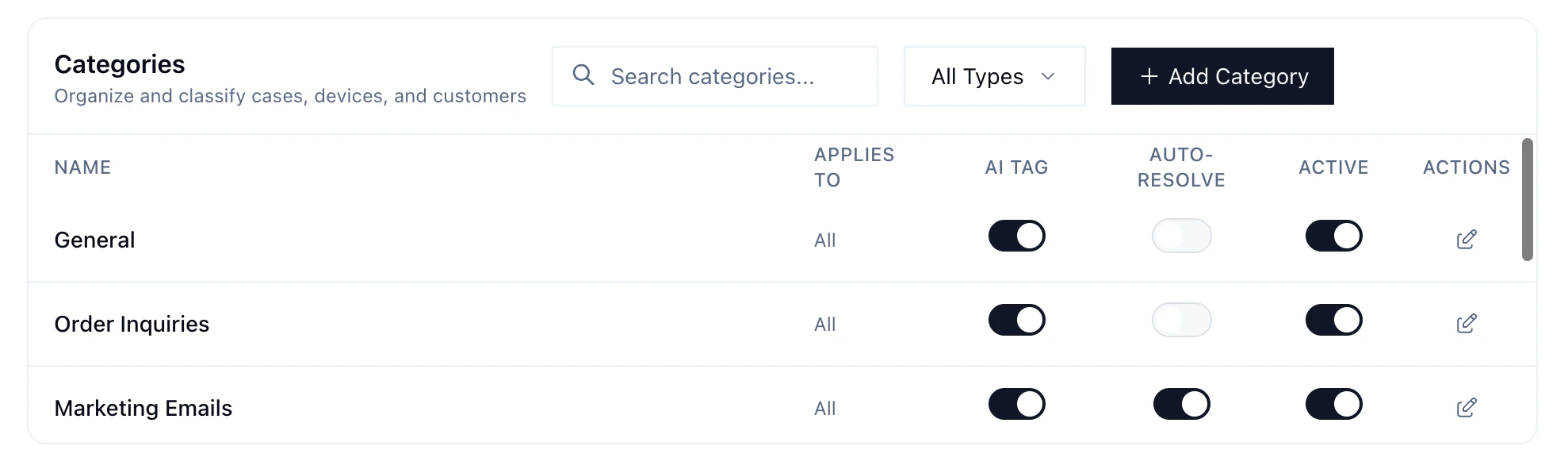
'Marketing Emails' has AI Tag and Auto-Resolve enabled — cases are automatically closed and suppressed from the support queue.