Sometimes multiple cases are opened for the same issue — a customer emails and then calls, or two team members create cases for the same request. Merging lets you combine these into a single case so nothing falls through the cracks. When you merge case A into case B, case A is closed and its conversation history is preserved as a reference on case B. Case B becomes the single source of truth going forward.

When to merge

  • A customer contacts you through multiple channels about the same issue
  • Duplicate cases were created by different team members
  • A follow-up case should be consolidated with the original

Requirements

Both cases must meet all of the following conditions to be merged:
ConditionDetails
Same organizationBoth cases must belong to the same organization
Different casesYou cannot merge a case into itself
Not archivedNeither case can be archived
Not already mergedNeither case can have been previously merged into another case
Not a draftNeither case can be in draft status
Merging is permanent and cannot be reversed. Make sure you’re merging into the right case before proceeding.

How to merge

1

Right-click the case

Right-click on the case to be merged in the cases list sidebar and select Merge into….
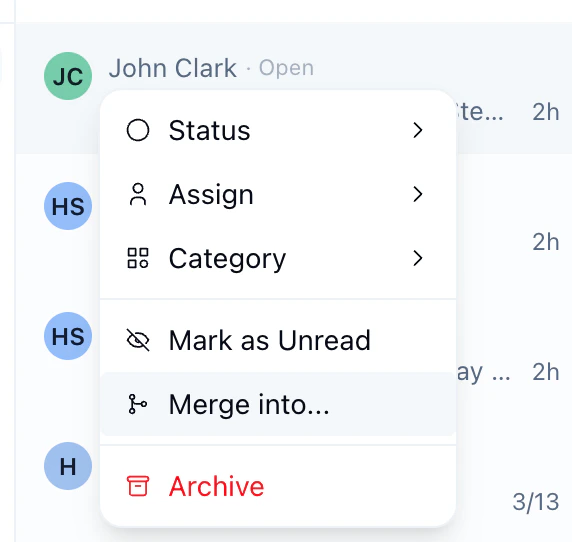
Right-click context menu on a case showing the Merge into option
2

Search for the target case

Search for the case you’d like to merge the selected case into.
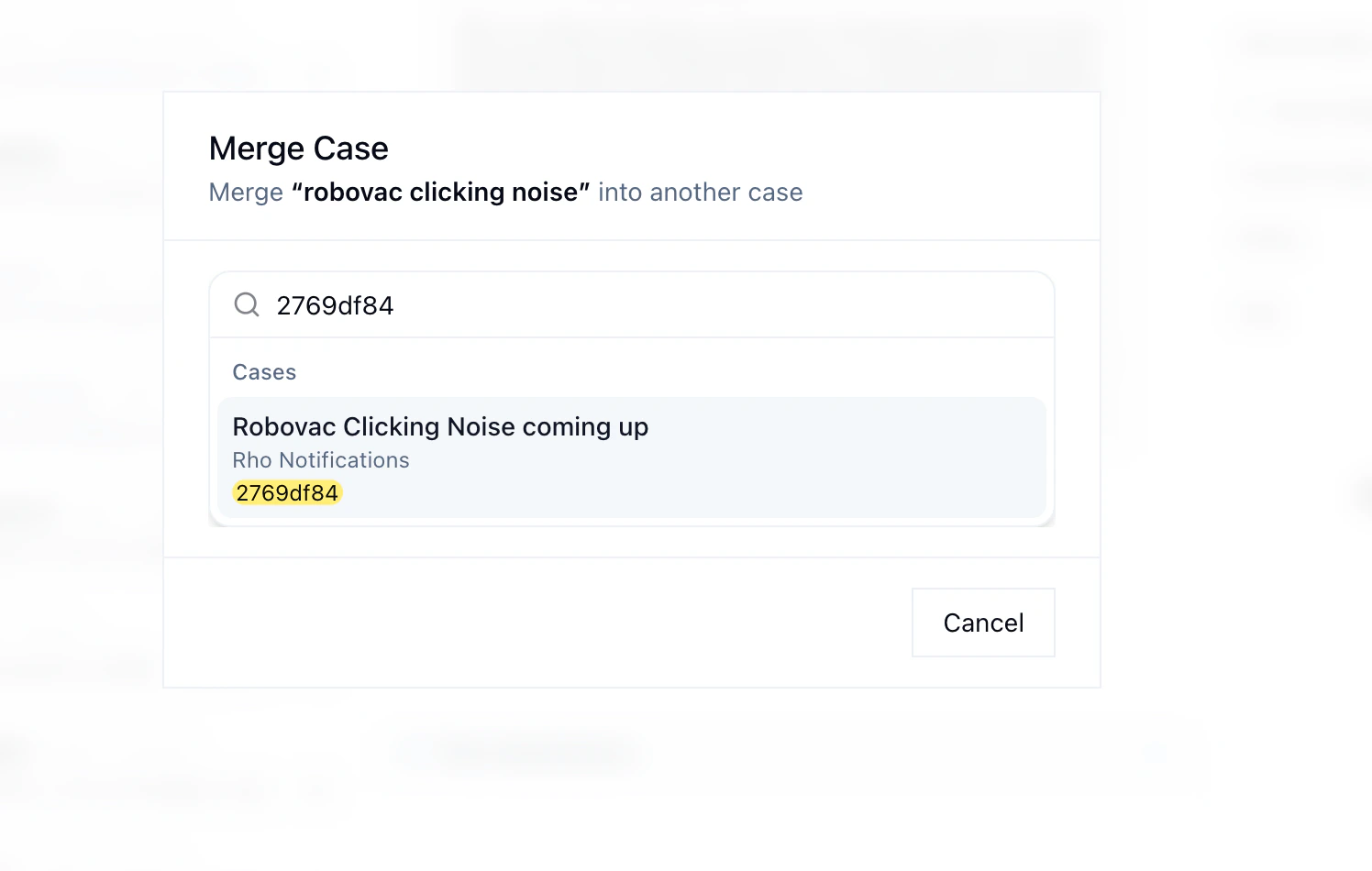
Merge case dialog showing search for a target case
3

Preview the merge

Review both conversations side by side before confirming.
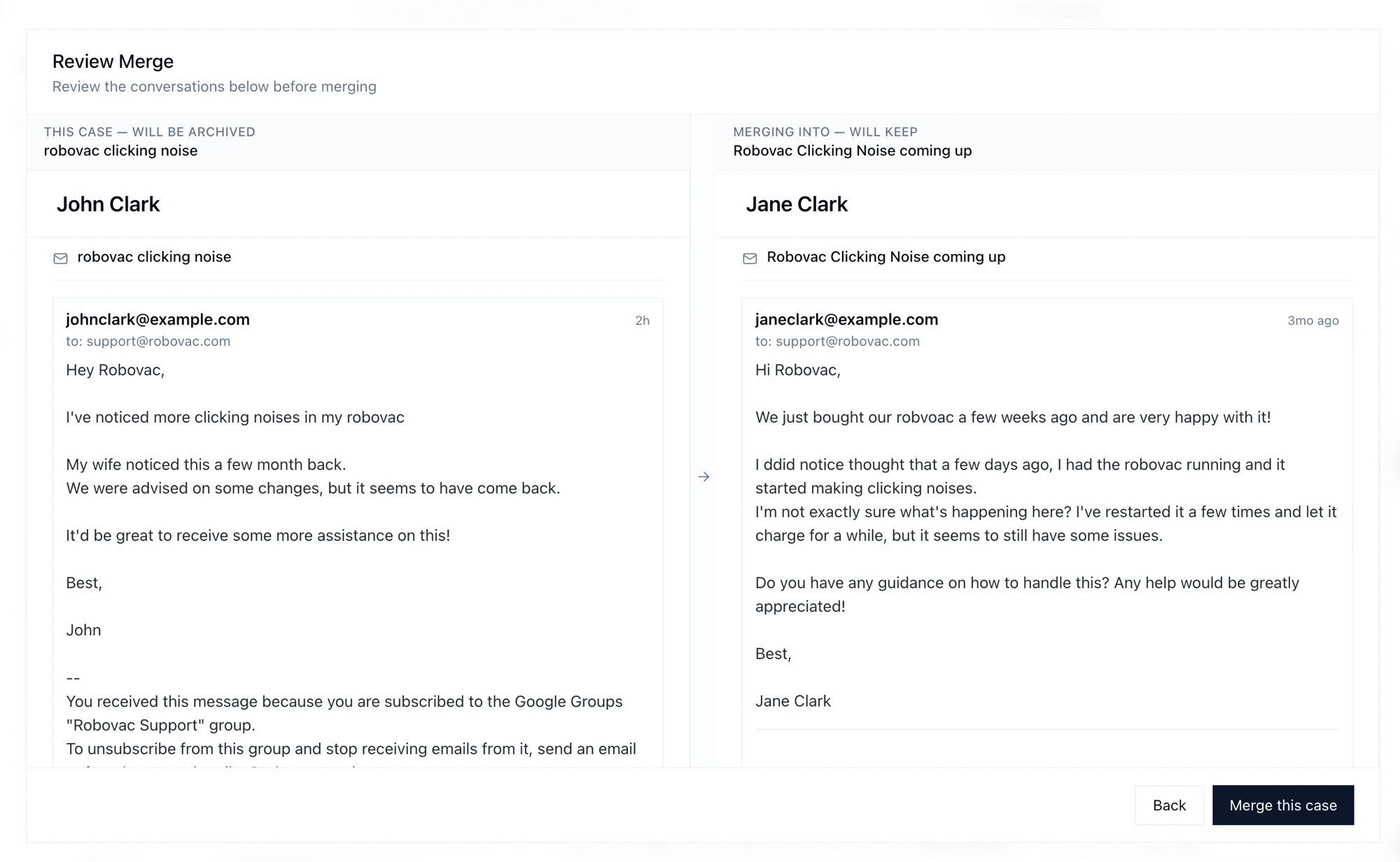
Review merge screen showing both conversations side by side
4

Confirm the merge

Confirm that you want to permanently merge the cases.
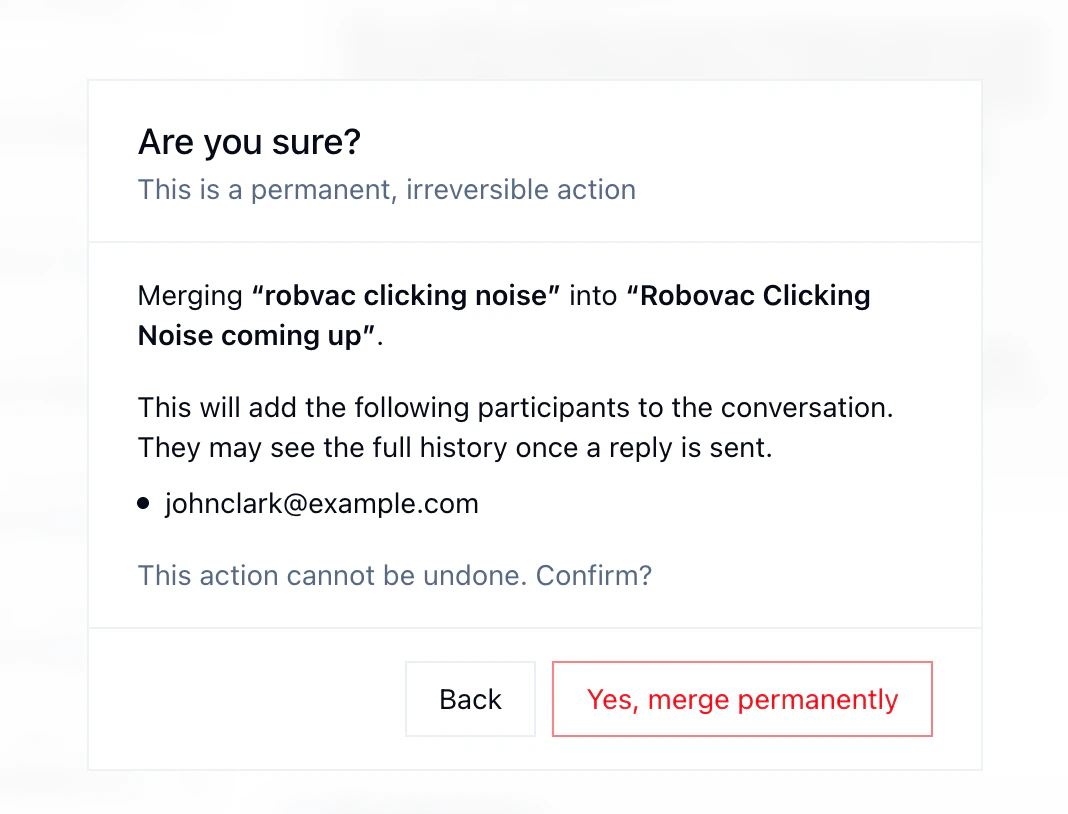
Confirmation dialog warning that merging is permanent and irreversible

Channel compatibility

Not all channel combinations support merging. The rules depend on the channel each case originated from. The key rule: any case can always be merged into an email case. Beyond that, compatibility depends on the channels involved — and most cross-channel merges require that both cases belong to the same customer.
Source ChannelCan Merge Into
EmailEmail, Chat*, Voice*
ChatEmail, Chat*
VoiceEmail, Voice*
FB MessengerEmail, Voice*, FB Messenger*
IG DMEmail, Voice*, IG DM*
X DMEmail, Voice*, X DM*
Social CommentsEmail, Voice*
* Requires both cases to belong to the same customer.